"Unable to Complete Cellular Plan Change" error: how to fix it

Polina Gankina
How-to(Updated
2 Min read
"Unable to Complete Cellular Plan Change" usually shows up right after installing an eSIM. Here's why, and how to get past it.
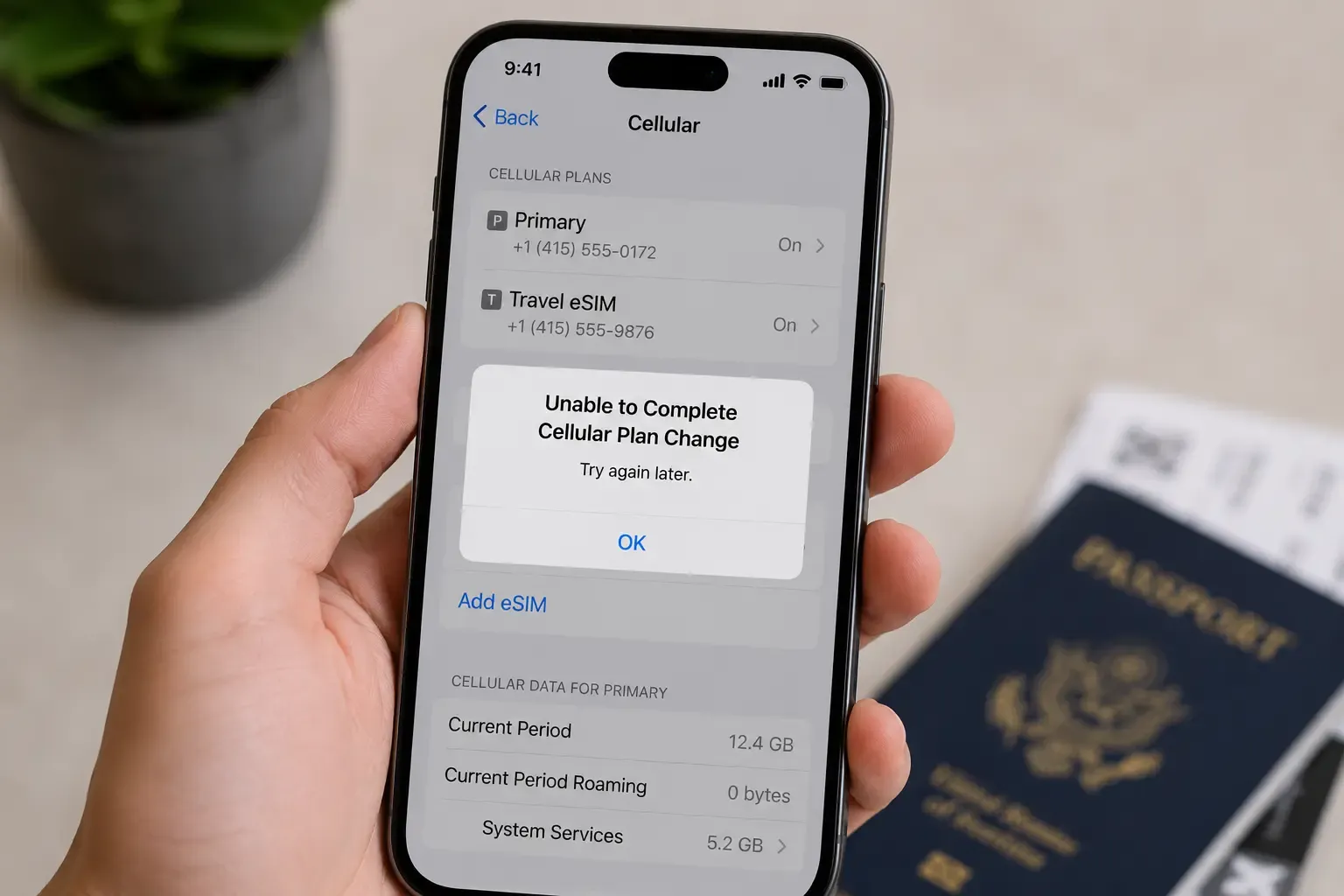
"Unable to Complete Cellular Plan Change" typically appears just after installing an eSIM, when you switch your default line or set the new eSIM as your active data line, rather than during the install itself. Waiting a minute or two, checking your connection and restarting your phone resolves most cases.
Why does "Unable to Complete Cellular Plan Change" appear?
- Switching too soon: The eSIM profile can still be finishing setup in the background for a minute or two after installation completes on screen.
- Unstable connection: Changing which line handles calls, texts or data requires a brief round-trip to the network: a dropped connection mid-change can interrupt it.
- Device needs a restart: Occasionally the settings change doesn't fully apply until the phone restarts.
How to fix it
- Wait a minute or two. The eSIM profile can still be finishing setup in the background after installation completes on screen, so give it a moment before changing line settings.
- Check your connection. Make sure you're on a stable Wi-Fi or cellular connection before trying again.
- Restart your phone. Then go to Settings and try the line change again.
- Contact support before removing the eSIM. If it keeps failing, contact support with your order number: a used code can't always be reinstalled, and we can advise or reissue where applicable.
Frequently asked questions
- Not before contacting support. A used code can't always be reinstalled, so contact support with your order number first and we can advise or reissue where applicable.
- The eSIM profile can still be finishing setup in the background for a minute or two after installation completes on screen. Waiting briefly and then retrying the line change usually clears it.
- No. Your plan's validity only starts when you first use data in a covered country, so changing line settings before your trip doesn't start the clock.
- That's a different problem with its own fixes. Work through our guide to an eSIM that shows signal but no internet.
Sorted? For your next trip you can browse eSIM plans for 100+ destinations and install before you fly.
- That's a different problem with its own fixes. Work through our guide to an eSIM that shows signal but no internet.

Landing in a new city?
Get your eSIM sorted before you touch down